Support / Manufacturing
Assembly instructions
Authoring the packet the floor builds from.
Manufacturing
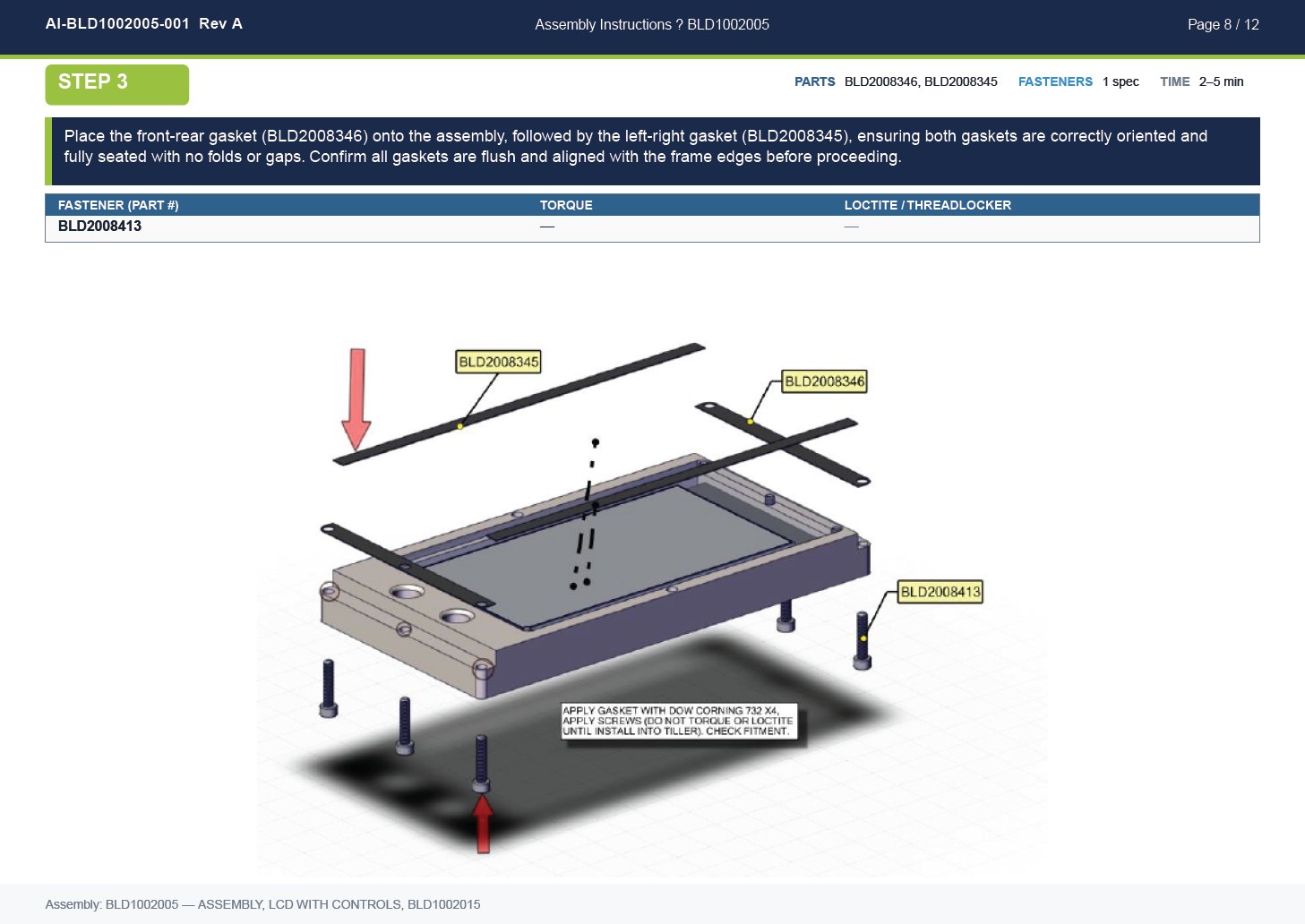
Assembly instructions are built against the live BOM, so the parts in a step come from the record rather than being typed in and left to drift.
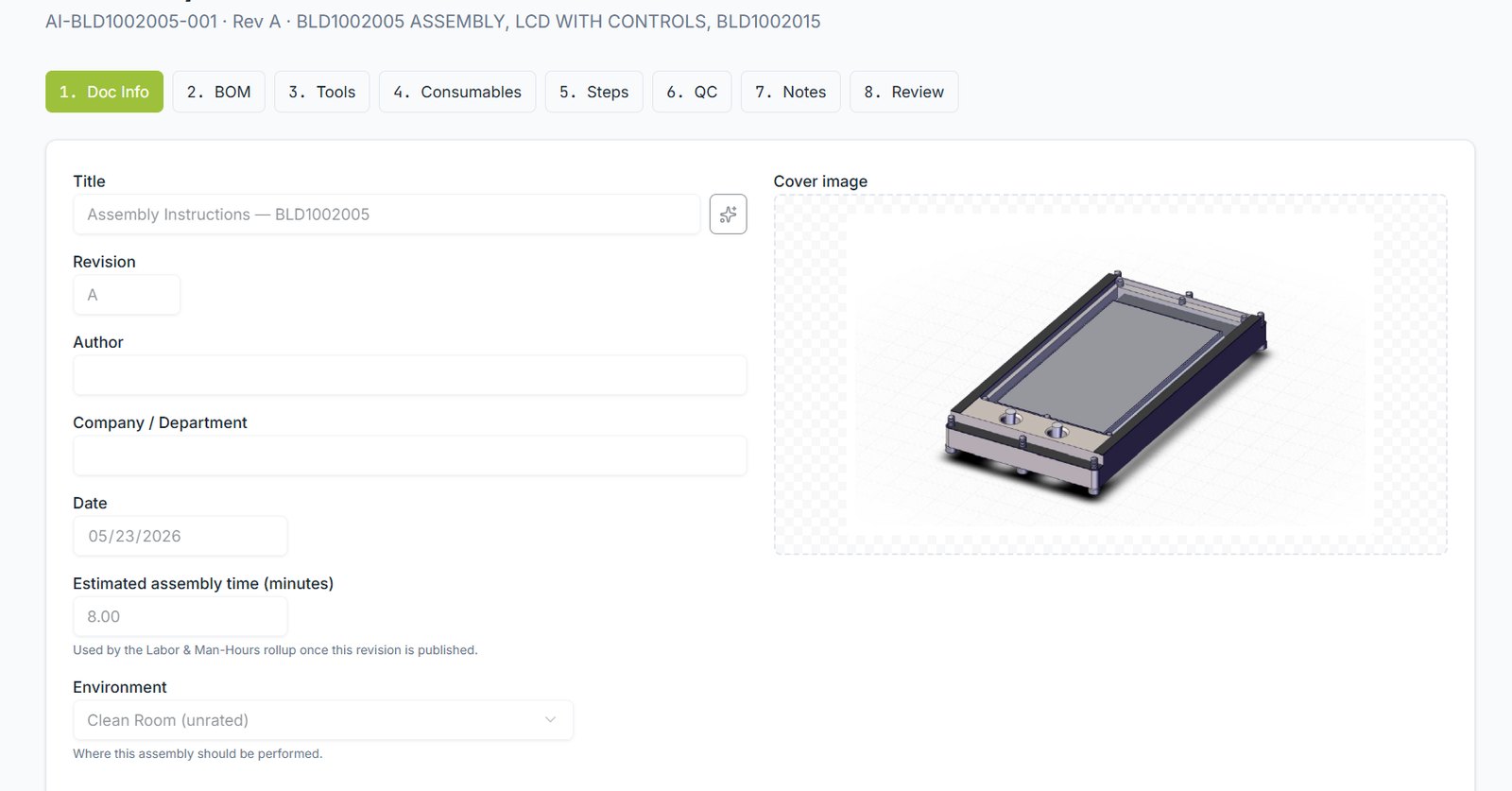
The tabs
| Tab | What it captures |
|---|---|
| Doc Info | Title, revision, author, date, estimated time, environment |
| BOM | Parts consumed, pulled from the assembly |
| Tools | Tools required, drawn from the tools library |
| Consumables | Adhesives, threadlocker, wipes and similar |
| Steps | The instructions themselves, in order |
| QC | Inspection points and acceptance criteria |
| Notes | Warnings, tips and references |
| Review | Approval before publishing |
Manufacturing
Writing a step
- Add a step and write the instruction as an action: "Place the front-rear gasket onto the assembly…"
- Attach the parts it consumes from the BOM.
- Add fastener specifications: torque, threadlocker, sequence.
- Set an estimated time — this feeds the labour rollup.
- Add an image. Exploded views from the 3D model work well.
Publishing
Manufacturing
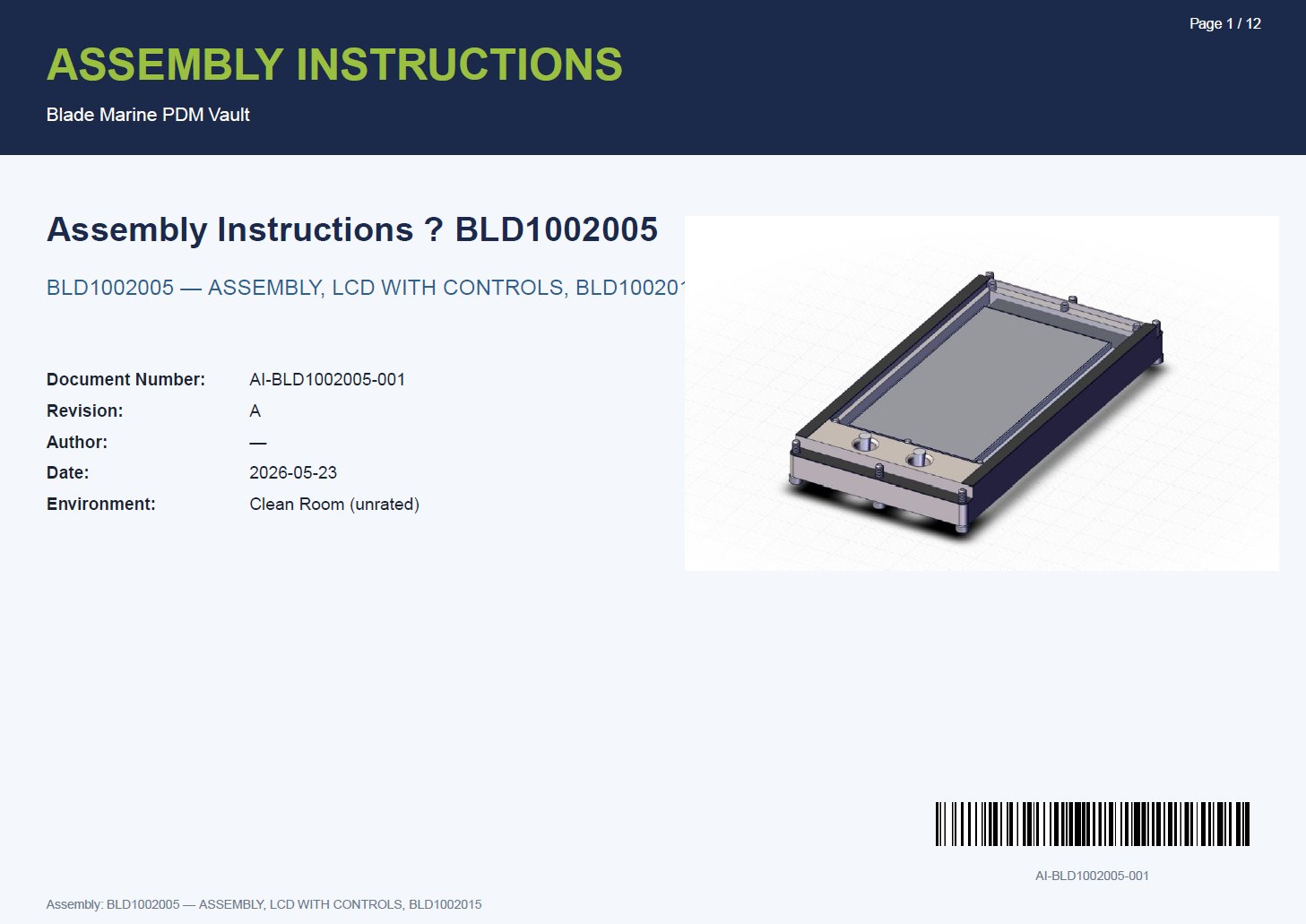
Publishing produces a branded PDF with a cover sheet, document number, revision and barcode. Re-publish when the assembly changes; the revision increments and the previous version is retained.
Still stuck?
Email [email protected] and a person will pick it up. Include the part number and what you were doing — it saves a round trip.