Timeclock
How development time is captured against parts.
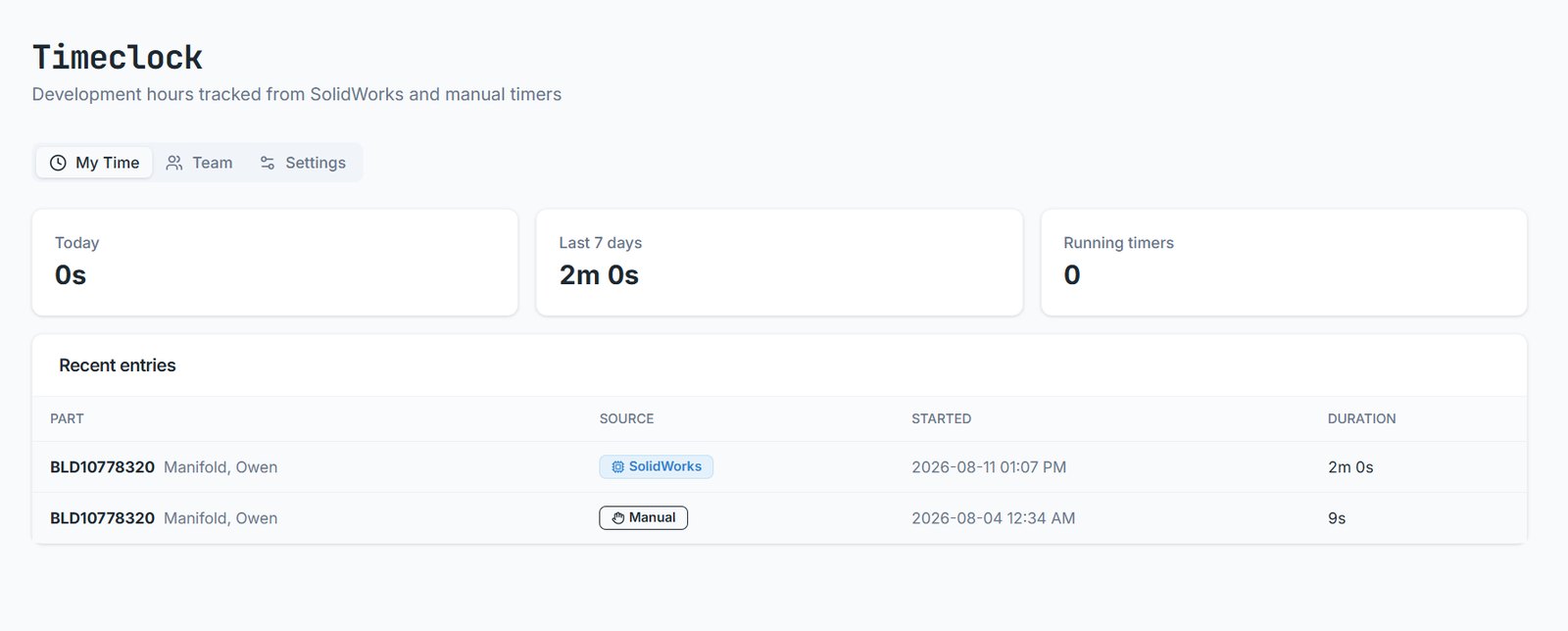
Timeclock records engineering time against the part you're working on, so effort per part is real data rather than a guess.
Automatic capture
With the add-in running, time accrues while a part is open and checked out in SolidWorks. Nothing to start or stop. Close the file or check it in and the timer stops.
Manual timer
For work outside CAD — a drawing review, a supplier call, a calculation — start the timer from the part record in the browser. It's a fallback, not the main mechanism.
Reviewing time
Timeclock in the sidebar shows your entries with the part, the source (SolidWorks or manual), start time and duration. Team totals are available to those permitted to see them.
Development effort per part, feeding cost models and future estimates. It is not attendance tracking and does not record what you had on screen.
Email [email protected] and a person will pick it up. Include the part number and what you were doing — it saves a round trip.