Materials and weight
Assigning a material and getting weight computed automatically.
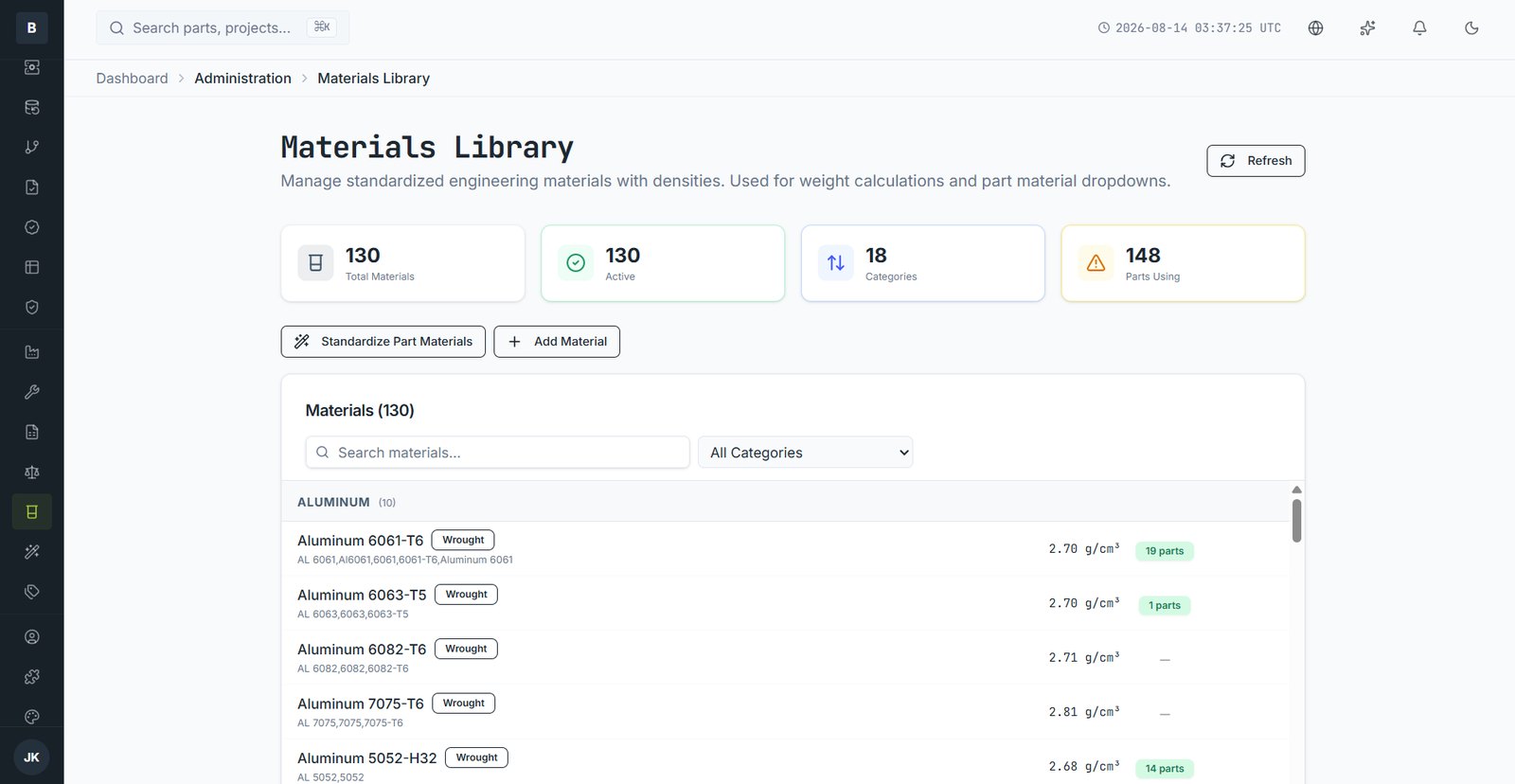
Materials come from a shared library your administrator maintains, so everyone uses the same names and densities. Choosing a material from the library — rather than typing free text — is what allows weight to be computed.
Assigning a material
- Open the part and edit the Details tab.
- Choose from the Material list. Start typing to filter; common aliases are matched, so "AL 6061" finds "Aluminum 6061-T6".
- Save. If the part has 3D geometry, weight recalculates immediately.
How weight is worked out
Volume comes from the 3D model; density comes from the material. The part record shows the calculation, for example Aluminum 6061-T6 (2.72 g/cm³) × 48.9 cm³ from the 3D model. You can override it manually if you need to — an overridden weight is flagged as such.
If your material isn't listed
Ask your administrator to add it to the library. Adding it centrally means the next person gets the right density too. Administrators can also run a standardisation pass that maps existing free-text materials onto library entries in bulk.
Email [email protected] and a person will pick it up. Include the part number and what you were doing — it saves a round trip.