Exporting a BOM
Getting a BOM out in exactly the shape someone asked for.
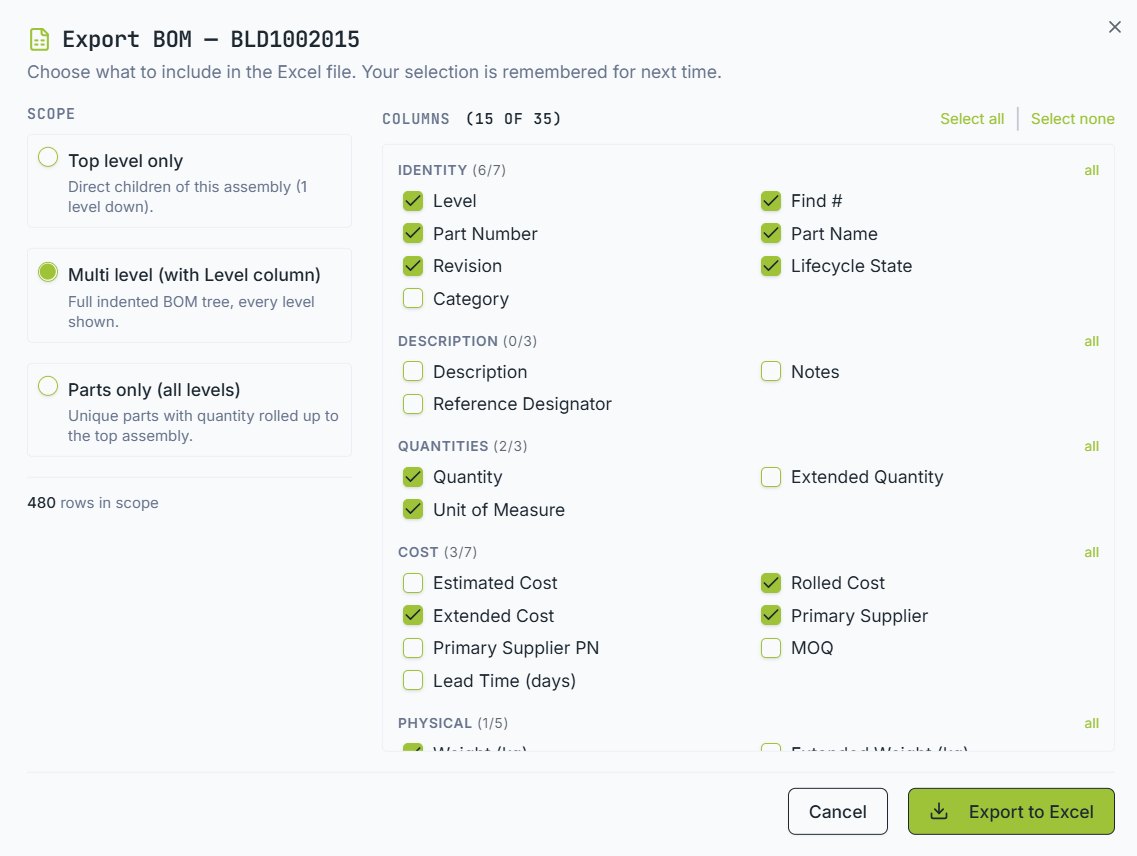
Different people need different BOMs. Purchasing wants prices and lead times. The contract manufacturer wants reference designators. Finance wants rolled cost only. The export dialog covers all of them.
Choosing the scope
| Scope | Gives you |
|---|---|
| Top level only | Direct children of this assembly, one level down |
| Multi level | The full indented tree with a level column |
| Parts only | Unique parts with quantities rolled up to the top assembly — the purchasing view |
Choosing the columns
Around thirty-five columns are available, grouped by identity, description, quantities, cost, supply chain and physical properties. Tick what you need. Your selection is remembered, so a monthly export is a two-click job after the first time.
Formats
Excel is the default. CSV, PDF and HTML are also available. Excel keeps grouping and indentation, which matters for multi-level exports.
If you run the same export regularly, save it as a command and schedule it — see Commands and automation.
Email [email protected] and a person will pick it up. Include the part number and what you were doing — it saves a round trip.