Support / Supply chain
Spare parts catalogue
Building a customer-facing spares list from the vault.
Supply chain
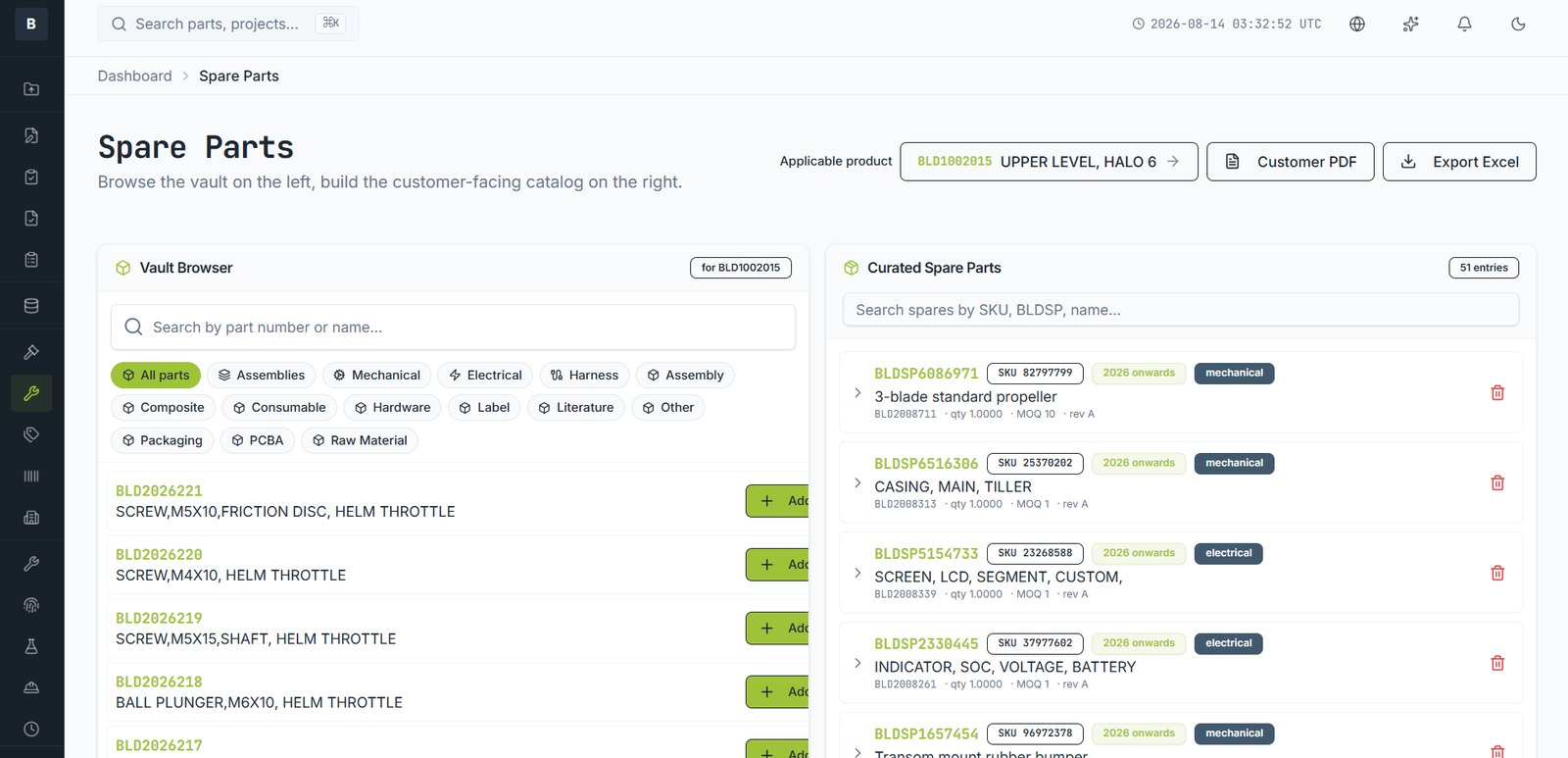
Not every part in an assembly is a sellable spare, and the customer-facing catalogue needs different information from the engineering record. The Spare Parts module bridges the two.
Building the catalogue
- Open Spare Parts. The vault is on the left, your catalogue on the right.
- Choose the product the catalogue applies to.
- Browse or filter the vault and add the parts customers can order.
- For each, set the customer-facing SKU, quantity, MOQ and applicable years.
What carries through
Each entry keeps its link to the vault part, so the spare stays tied to the engineering record, its revision and its supplier. If the part is revised, the spare entry points at the current one.
Publishing
Export as a customer-facing PDF for dealers, or as Excel for a parts system. The export excludes internal cost and supplier data.
Still stuck?
Email [email protected] and a person will pick it up. Include the part number and what you were doing — it saves a round trip.