Support / Bills of materials
Cost and weight rollups
How totals are calculated and why a number might look wrong.
Bills of materials
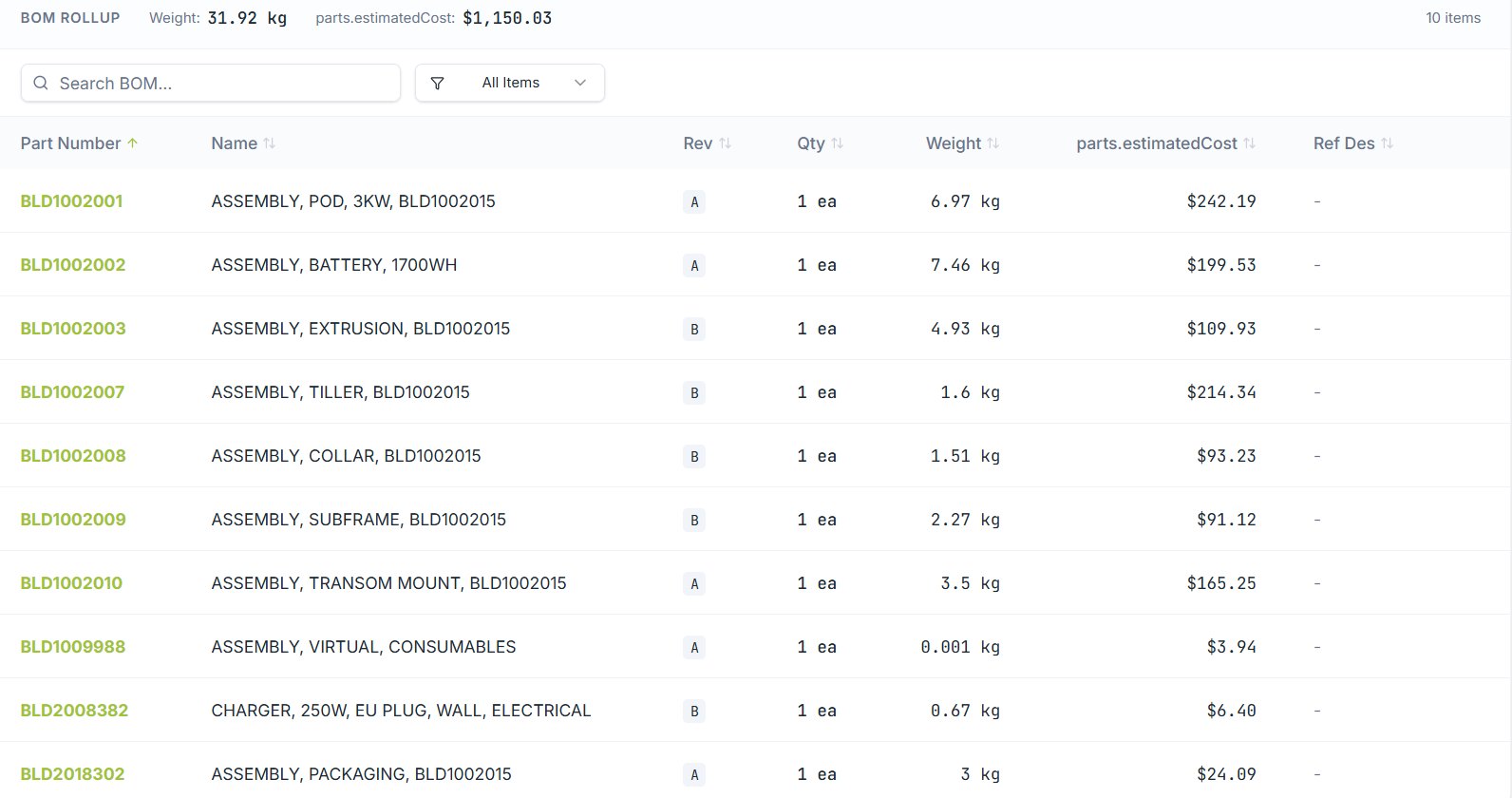
Cost and weight roll up the BOM tree automatically. Change a supplier price three levels down and the top-level number moves with it.
How it's calculated
- Weight — each part's weight (computed from geometry and material, or entered manually) multiplied by quantity, summed up the tree.
- Cost — each part's cost multiplied by quantity, summed up the tree. Purchased parts use supplier price; made parts use their own rolled-up cost.
Which price is used
Where a part has several suppliers, the primary supplier's price is used by default. Quantity breaks are applied against the quantity actually required by the build, not the line quantity.
If a total looks wrong
| Symptom | Usual cause |
|---|---|
| Weight lower than expected | Some parts have no material or no 3D model, so they contribute zero. Filter the BOM for missing weight. |
| Cost lower than expected | Parts with no supplier price contribute zero rather than blocking the total. |
| Cost higher than expected | A quantity break may not apply at your build volume, or a prototype price is still attached. |
| Total didn't change after an edit | Reload the assembly. Rollups recompute on save, and a stale tab can show the previous figure. |
Find the gaps quickly
The BOM view can filter to lines with no cost or no weight. That list is normally the whole explanation for a total that looks too low.
Still stuck?
Email [email protected] and a person will pick it up. Include the part number and what you were doing — it saves a round trip.