Support / Parts & records
Reading the part record
What each tab on a part holds.
Parts & records
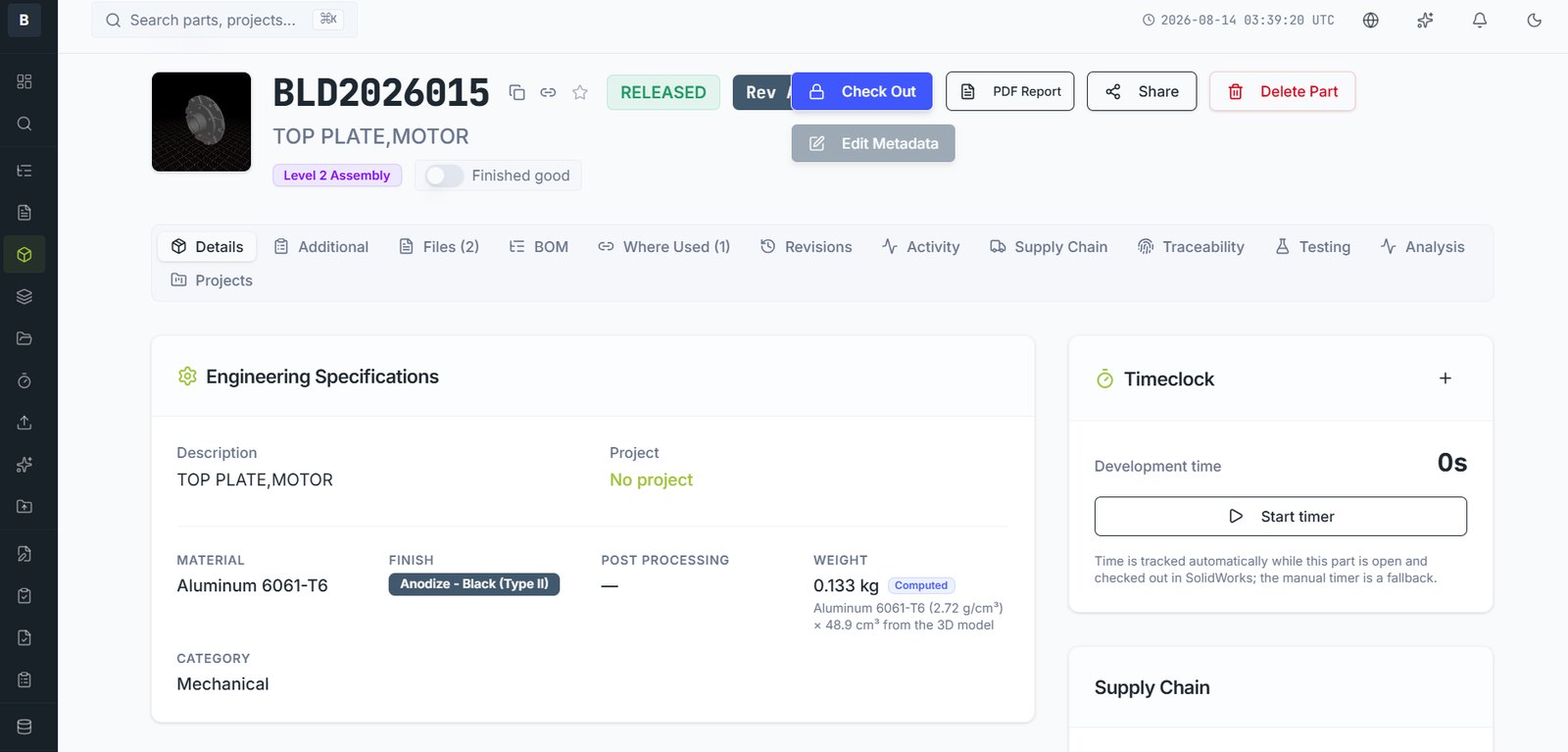
The part record is the centre of the system. The tabs across the top are all facets of the same part.
| Tab | Holds |
|---|---|
| Details | Description, category, material, finish, weight, project. The engineering identity of the part. |
| Additional | Extra structured fields your company has configured, including any custom schedules. |
| Files | Every file belonging to this part — native CAD, drawings, neutral formats, documents. |
| BOM | What this part is made of, if it's an assembly. |
| Where Used | Which assemblies and SKUs contain this part. |
| Revisions | The full revision history with change descriptions. |
| Activity | Everything that's happened to this part, with names and dates. |
| Supply Chain | Approved suppliers, pricing, MOQ and lead times. |
| Traceability | What evidence must be captured when this part is built. |
| Testing | Test requirements and results. |
| Analysis | Simulation and calculation records tied to a revision. |
| Projects | Which projects this part belongs to. |
The header
The part number, description, current revision and lifecycle state sit at the top and stay visible. The state badge — WIP, In Review, Released — tells you at a glance whether you can edit it.
Weight
If a part has a 3D model and a material assigned, weight is computed from the actual solid volume rather than typed in. A Computed tag next to the weight tells you it came from geometry. Change the material and it recalculates.
Still stuck?
Email [email protected] and a person will pick it up. Include the part number and what you were doing — it saves a round trip.